Setting Up Your STIHL ADVANCE ProCOM: The Complete User Guide
For an arborist, your headset is as much a part of your climbing kit as your lanyard. Here is how to master the STIHL ADVANCE ProCOM specifically for tree work.
Navigating the Interface
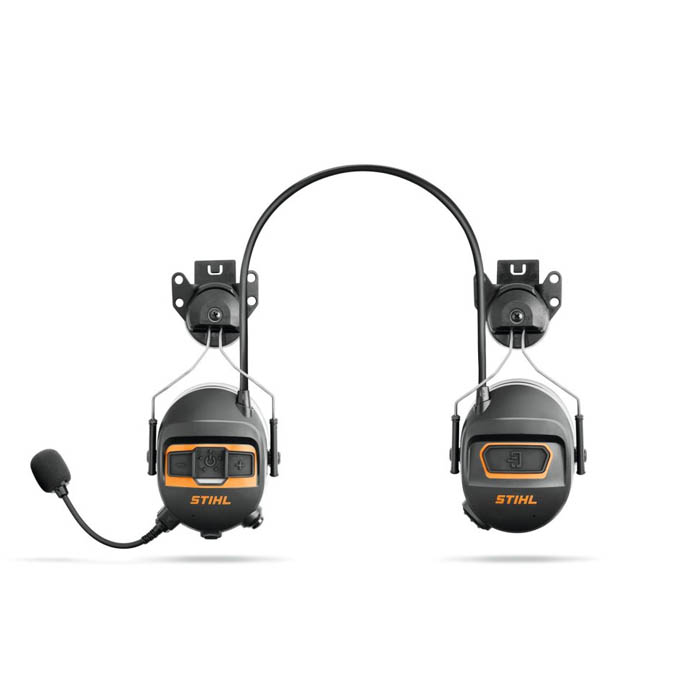
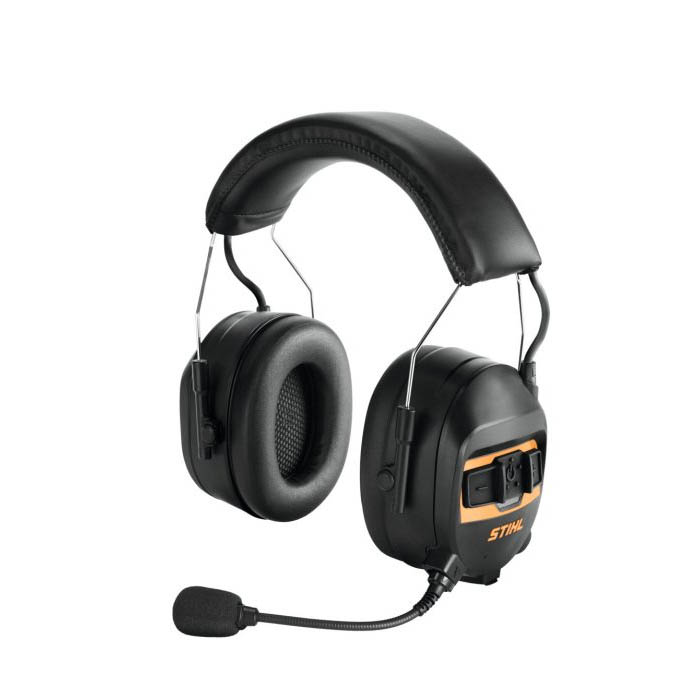
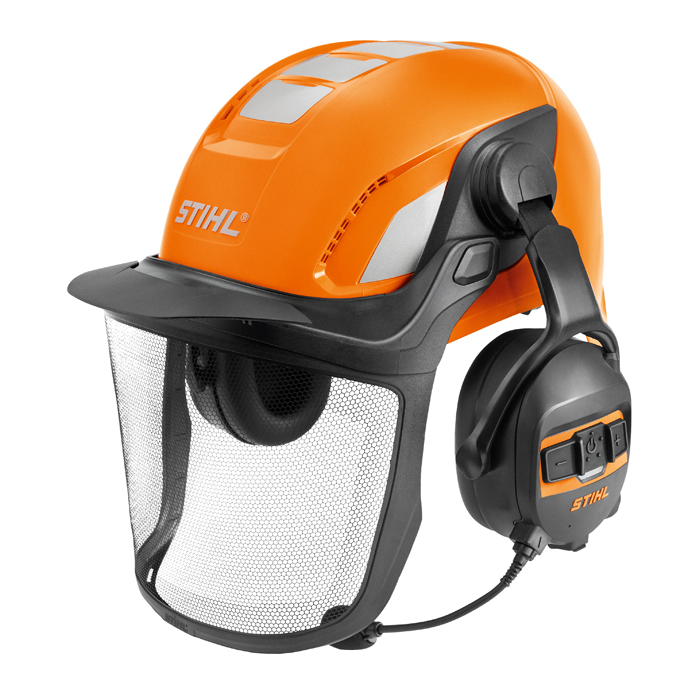
The ProCOM features large, ergonomic buttons that are easy to find, even when wearing chainsaw gloves.
| Feature | Operation | Why It Matters | ||||
|---|---|---|---|---|---|---|
| Power |
|
Quick startup for the beginning of the shift. | ||||
| Microphone |
|
|
||||
| Ambient Mode | Double-tap the Mute button. |
|
||||
| Smartphone Link |
|
|
Advanced Connectivity
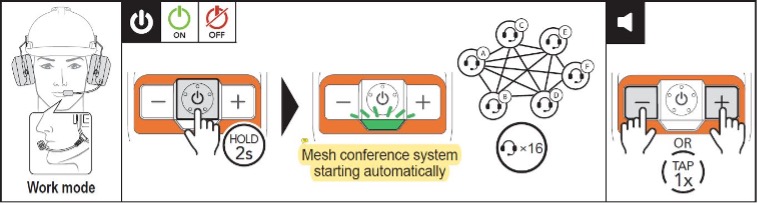
Establishing the Mesh: Ground-to-Tree Connectivity When you're out on a job, you need a comms system that just works. Power up your headset by holding the On/Off button for 2 seconds, and the ProCOM will instantly create a mesh network with up to 15 other colleagues. With a 400m range between devices, it provides a stable link between the climber and the ground crew, even in dense woodland.
If the connection isn't instant, ensure your Mute button (Button 6) isn't active and check the ADVANCE ProCOM App to confirm everyone is on the same channel. Because this system is built for professional-grade reliability and security, it is a closed loop—it will only connect to other STIHL ADVANCE ProCOM units, ensuring your private crew comms stay private.
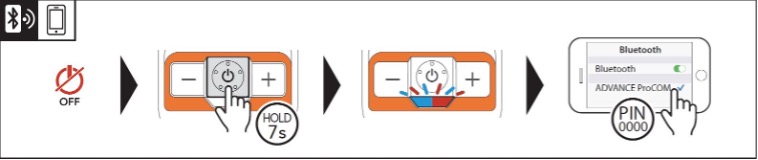
Connected Canopy: The ProCOM App & Pairing Managing your setup from the ground or the tree is much simpler with the STIHL ADVANCE ProCOM App. Beyond just a digital manual, the app lets you toggle channels for different rigging crews and pre-set your radio stations before you put your harness on.
Step-by-Step Pairing Guide: Getting synced up is straightforward. With the headset powered down, hold the On/Off button for 7 seconds. The LED will flash blue and red, accompanied by three distinct beeps. Once you see that, simply select "ADVANCE ProCOM" in your smartphone’s Bluetooth settings. To confirm you're ready to go, check the app: the link symbol will switch from yellow to green.
Managing Dual Devices: For the pros who carry two handsets, the ProCOM supports dual-phone pairing. However, it operates on a "first-connected" priority system. If you take a call on Smartphone A and Smartphone B starts ringing, the headset may lose its link to Smartphone B temporarily. It’s a small technical quirk to keep in mind when you’re mid-job.
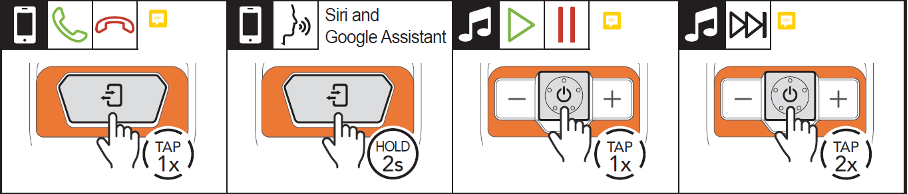
Ground-to-Canopy Control Managing your devices while in a harness shouldn't be a struggle. When a call comes in, use the ‘Connect’ button on the right side to answer and end the conversation. Just remember: if you answer on the phone screen, the audio stays on the phone, not in your headset.
If you need to send a hands-free text or check the weather, hold the ‘Connect’ button for two seconds to trigger your voice assistant. Your music is just as easy to manage via the On/Off button: one click for play/pause and two clicks to skip the track. Running a dual-phone setup? The ‘Connect’ button will always prioritise your primary (first-connected) device.
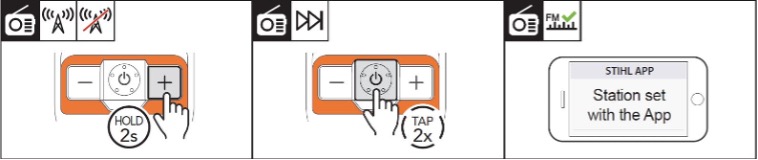
Radio Controls for the Canopy Whether you’re on a long hedgecutting job or processing timber on the ground, the ProCOM keeps you connected to more than just your crew. You can activate or deactivate the FM radio by holding the ‘+’ button for two seconds. To scan through stations with the headset on, just double-click the On/Off button. Alternatively, you can pre-set your go-to stations via the STIHL ADVANCE ProCOM App before you get to work.
One of the smartest features for arb crews is the automatic volume reduction. The moment someone speaks through the mic, your radio volume drops, ensuring you never miss a ground instruction. If you're working solo or find the volume dipping too frequently, just hop into the app’s Device Settings to turn this feature off.
Maintenance & Pro-Tips
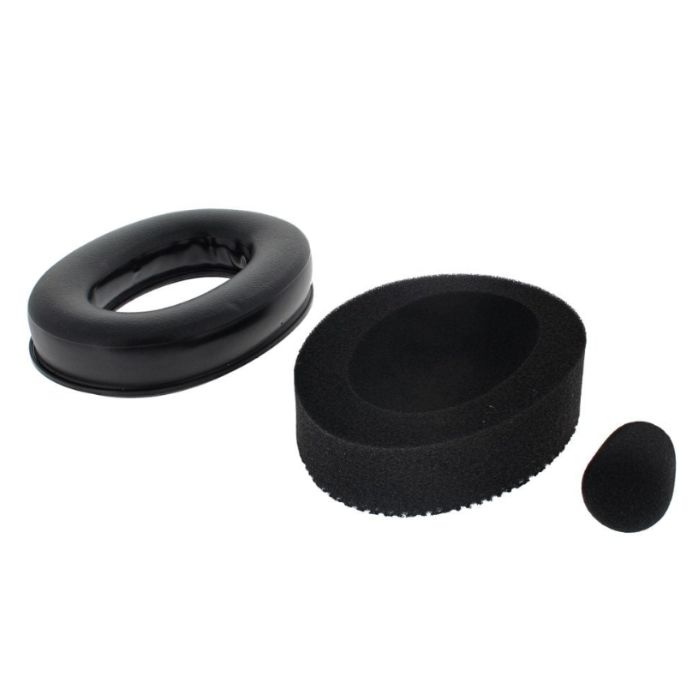
To keep your kit in top shape, we recommend using the STIHL ADVANCE ProCOM App. It allows you to change channels if multiple crews are working in the same area and adjust microphone sensitivity. Occasionally, connect your headset to a PC or Mac to update the firmware via the ProCOM Device Manager. We also offer hygiene kits, replacement microphones, carriers and mesh visors for ProCOM setups to keep everything in top working order, especially the Safety related parts.
Still researching comms headsets? Read why ProCOM is the top choice for UK Forestry.